
Cybersecurity for small businesses has never been more crucial. Even a simple breach, such as clicking on a scam email, can cost your company thousands of dollars. Beyond the immediate financial loss, it can also damage your reputation, leading to further resource loss.
If you’ve been thinking your business could use a security boost, you’re probably onto something. Here’s why cybersecurity matters more than ever, and what you can do to get it right.
Understanding the Cyber Risks Facing Small Businesses
Small business cybersecurity threats are no different from what a larger company might face. There are several common ways in which attackers may try to target your company.
Phishing and Email Scams
Phishing remains the number one way attackers try to get their hands on your data. This happens through emails that often look like they’re from legitimate businesses and contain information that tricks you into clicking a malicious link or entering private credentials.
It may come in the form of a fake invoice, password reset, video link or account confirmation.
Once attackers have access to credentials, they can access accounts and payment systems to steal sensitive data and money.
Ransomware
This type of attack occurs when malicious parties infiltrate your files. They then “lock” your access and demand some kind of payment to restore it.
For a small business, this can completely halt operations, especially if there is no backup or disaster recovery plan in place.
Weak Passwords and Credential Theft
Using basic passwords like ‘Password123’, or using the same password for all of your accounts is incredibly common, yet it can be very dangerous.
All it takes is one compromised account. From there, attackers can use the same password across multiple applications, including email, bank accounts and business databases.
This technique is called credential stuffing and is far more effective than people expect.
Unsecured WiFi and Devices
Outdated routers, unencrypted WiFi, public networks and unpatched laptops create easy entry points for criminals.
Even something as simple as using a device without a screen lock can unintentionally expose sensitive data.
Shadow AI and Unauthorized AI Usage
A fast-growing yet overlooked threat. “Shadow AI” is the term used for the unauthorized use of AI tools within a business, for instance, logging into a personal ChatGPT account and using it for work purposes.
Pasting sensitive data into public AI tools without approval creates a big problem.
That information can be used or exposed in ways the business cannot control. Moreover, these tools often introduce unsecured APIs and unmanaged integrations, which can quickly become easy entry points for attackers.
Why Small Businesses Are Attractive Targets
Cybercriminals look for the path of least resistance.
While a multi-billion dollar corporation could give a major payout, criminals also know that such companies often invest millions in security. Instead, they target smaller businesses that may lack the resources to invest in proper cybersecurity measures.
In addition, attackers rely on automation to target small businesses at scale, so even modest ransom payments from several businesses can quickly add up.
Criminal groups send millions of phishing emails and scan the internet for vulnerabilities. They only need your business to be slightly less protected than another business for you to become a prime target.
Potential Impacts
No matter how bad you envisioned the impact cyberattacks would have, trust us: it’s a whole lot worse.
To quote a sobering statistic, the average cost of a data breach in the US is $9.35 million.
This cost encompasses legal fees, data recovery, reputational damage, loss of customers and even the decrease in employee productivity. That’s not to mention the slowdown or complete halt of business operations.
For many small businesses, the biggest risk is not the attack itself but the costly disruption that follows.
A 2025 report by Mastercard states that one in five small-to-medium businesses that suffered a cyberattack either shut down or filed for bankruptcy. Of those businesses that were still standing, 80% had to spend time rebuilding client trust.
Essential Cybersecurity Measures for Small Businesses
Thankfully, when it comes to cybersecurity, small businesses can do a lot to proactively protect themselves.
1. Strong Passwords and Multi-Factor Authentication
This is one of the simplest and easiest measures to implement, preventing a huge number of breaches.
Every business account should have a unique, complex password that must be changed regularly.
Multi-factor authentication, such as a phone code or biometric verification, adds a second layer of security. Even if a password is stolen, attackers can’t log in without that second factor.
2. Employee Cybersecurity Awareness Training
Cybersecurity training shouldn’t just cover what an attack might look like. It should also encompass how employees might unintentionally expose data and how to prevent it.
For instance, employees should never leave laptops unlocked and unattended or use unauthorized AI tools. They should also understand how to report an incident if they spot a suspicious email or other type of attack.
Training does not need to be long and complicated, but it does need to be done regularly to keep information fresh.
3. Secure Devices and Software
There’s a lot you can do to secure the tools your business uses, including:
Requiring device encryption and screen locks for all devices company-wide.
Removing unused software and keeping current software updated.
Restricting administrative privileges so malware cannot easily install itself.
Restricting the use of personal and external devices for work purposes.
4. Data Backup and Recovery Plan
Data backups are a critical safety net against ransomware and loss. Regularly back up databases and store copies in secure cloud storage or offline systems that attackers cannot reach.
Create a recovery plan and test it regularly so you know it will work in the event you actually need it.
5. Network Security Basics
Invest in a modern router with strong WiFi encryption. Make sure you set up a separate network for guest access and change the default passwords on all network equipment.
6. Email and Communication Security
Reduce phishing risk by setting up a dedicated professional business email. These typically offer stronger protections compared to Gmail and other free services.
Use spam filtering, link scanning and domain protection. In addition, encourage staff to verify unusual requests via a secondary communication channel.
7. Access Controls and Least Privilege
Least privilege is the act of restricting access privileges to the minimum necessary to accomplish tasks. In simple terms, this means giving employees access only to the data and systems they need to do their jobs.
If additional access is needed, it should go through a formal approval process first.
Policies Every Small Business Should Document
Written policies are essential for any small business, and cybersecurity is no exception. Having clear and documented processes creates consistency and ensures everyone knows what is expected of them.
Here’s what you need policies for:
Acceptable use: Define how workers can use company devices, AI tools, email and access to the internet. There should also be rules on how personal devices can (or cannot) be used within the work environment.
Passwords: Outline requirements for password length, uniqueness, storage and multi-factor authentication.
Data handling: Detail how all types of data must be stored, shared and deleted across systems.
Privacy: Define how personal information is protected and processed in line with applicable regulations.
Incident response: Document what someone should do when there is a cybersecurity incident. Establish lines of communication and the appropriate actions to take.
What to Do If a Cyber Incident Happens
Focusing on prevention alone is not enough. Small business cybersecurity must also include a clear plan in case an incident occurs.
The moment the alarm is raised, you must:
Disable and isolate all affected systems by unplugging network cables and disabling the WiFi.
Do NOT switch off the affected system itself, since you need to preserve any evidence.
Check for unauthorized access, unusual activity or alerts.
Take screenshots or photos that document the incident (without interacting with the affected system).
Do NOT pay ransoms or click on any suspicious elements.
Next, alert the appropriate individual within the business and contact an external expert, like an incident response firm, to investigate and recommend the appropriate next steps.
Log everything and ensure you capture the timeline for all actions. Assess the scope of damage and prioritize containment over full analysis.
Budget-Friendly Cybersecurity Tips for Small Businesses
Security does not have to be expensive. With the right approach to cybersecurity and small business protection, you can implement a strong defense.
Free or Low-Cost Tools
There are many free or inexpensive tools out there that deliver strong protection. Some recommended options include:
CISA Cyber Hygiene Services: Free vulnerability scans, incident response help and awareness training materials.
Kaspersky Small Business Security: Endpoint protection and security for around $90/year.
Microsoft Defender: Built-in free antivirus for Windows with real-time scanning. You can pair this with other free tools like Avast or Bitdefender Free Edition.
Bitwarden: $4/user/month password manager.
Authy or Google Authenticator for free multi-factor authentication.
Glasswire: Free or $20/month network monitoring and malware detection.
goPhish: Free phishing exposure tests.
Wazuh: XDR and SIEM protection for endpoints and cloud workloads.
Security Onion: Security monitoring and threat hunting.
Synology: Reasonably priced data backup and recovery.
Prioritize High-Impact Protections
Cybersecurity for SMEs should start with the actions that have the most impact. If you’re yet to implement anything, begin here:
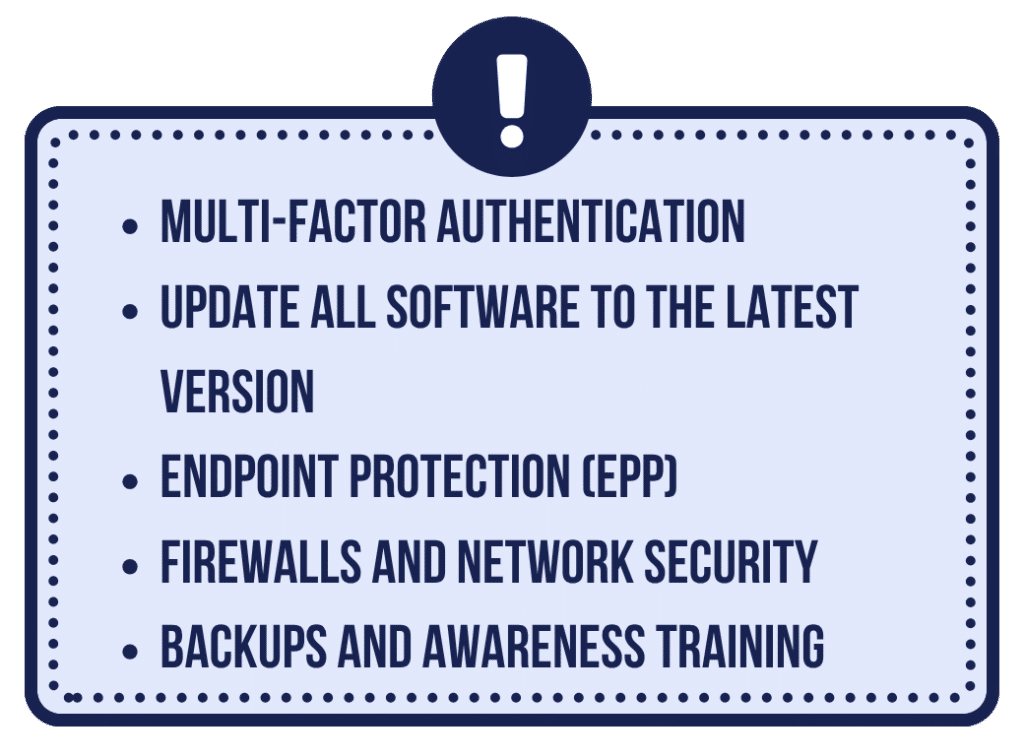
Multi-factor authentication: This simple step is going to block the vast majority of account takeovers.
Update all software to the latest version: Fixes known issues that attackers are likely to exploit.
Endpoint protection (EPP): Prevents malware and ransomware from taking hold.
Firewalls and network security: Segments the network so if one area is breached, the hacker cannot access others.
Backups and awareness training: Backups ensure business continuity following an attack, while training prevents an attack from happening.
When to Outsource IT or Cybersecurity Support
If small business cybersecurity feels like an overwhelming or unmanageable prospect for you, then it’s worth getting outside help.
Outsourcing usually makes sense when you no longer have the time or technical confidence to apply cybersecurity thoroughly or consistently.
There are a few clear warning signs to watch for: repeated technical problems, uncertainty about backups, staff clicking phishing emails or simply not knowing whether your business is secure. At that point, a managed IT or cybersecurity provider can step in to take over.
Cost is another factor. Hiring a full-time cybersecurity or IT specialist is expensive, while outsourced support spreads that cost across many clients, making professional protection far more affordable.
For most small businesses, outsourcing becomes the right move when security starts distracting you from core operations.
This allows you to rely on expert support for consistent protection and peace of mind while you focus on running and growing the business.
Getting Started: A Simple Cybersecurity Checklist
To wrap up, here’s a cybersecurity checklist that you can use to get started within your own organization:
Security foundations
☐ Enable multi-factor authentication
☐ Use a password manager with unique passwords
☐ Limit user access to only what is necessary
☐ Use separate admin accounts for system changes
☐ Remove unused apps and accounts
☐ Review user permissions at least quarterly
Device and software protection
☐ Secure devices and software
☐ Keep devices and software updated automatically
☐ Turn on automatic device encryption (laptops, phones, tablets)
☐ Require screen locks
☐ Set up basic endpoint protection
Data protection and recovery
☐ Maintain secure, tested backups
☐ Regularly test backup restoration
☐ Store sensitive documents in secure, access-controlled locations
Network and communication security
☐ Protect WiFi and network equipment
☐ Create a separate guest WiFi network
☐ Secure email and communications
Employee awareness and training
☐ Threat identification
☐ How to minimize data exposure
☐ Incident response
☐ Approved and safe use of AI tools
Governance
☐ Document clear security policies and an incident response plan
☐ Define who makes decisions during a security incident
☐ Run a simple incident response drill once per year
☐ Schedule an annual basic security review or risk assessment


